Why Server Load Kept Rising and the Fix That Worked
Published On: Jan 22 2026
Written By: Krishnan Sethuraman
Category: Infrastructure
Modern web applications are rarely simple. They are composed of multiple moving parts like load balancers, horizontally scaled web servers, optimized databases, caching layers, background workers, and asynchronous queues. When designed correctly, these components work together to absorb traffic spikes, isolate failures, and keep latency predictable.
Yet, even in well-architected systems, performance issues can creep in silently.
This article walks through a real production issue we encountered with one of our customers in ProdSure, where server load kept increasing despite all the “right” optimizations being in place. The root cause turned out to be something deceptively simple and surprisingly common: misused cron jobs.
More importantly, we’ll cover how we redesigned the execution model using RabbitMQ, workers, clustering, and proper isolation, resulting in a 40% improvement in application performance and a 60% reduction in server load.
The Initial Symptoms: Load Without an Obvious Cause
The customer reached out to us with a familiar yet frustrating problem:
Web servers were experiencing gradually increasing load. When we looked into the server and logs everything seemed to be fine.
- No traffic spike or DDoS activity
- No recent major code deployments
- No database deadlocks or slow query explosions
At first glance, the infrastructure looked solid:
- Multiple web servers behind a load balancer
- Database queries were optimized and indexed
- Cron jobs were already split across servers
- Memcached was properly configured and actively used
- Queue workers were running and processing jobs efficiently
And yet, server load kept climbing slowly over time, eventually affecting application responsiveness.
This is one of the hardest types of problems to diagnose, death by a thousand small cuts rather than a single catastrophic failure.
Eliminating the Usual Suspects
Before jumping to conclusions, we systematically ruled out the common causes:
Load Balancing
Traffic was evenly distributed. No server was unfairly overloaded.
Database
Slow query logs were clean. Execution plans were stable. No sudden growth in query volume.
Caching Layer
Cache hit ratio was healthy. No mass cache invalidations.
Queue Workers
Workers were consuming messages as expected. No backlog accumulation.
Cron Distribution
Cron jobs were already split across servers, so in theory no single server should have been overloaded.
Yet, glances kept pointing out an increased amount of load on the servers.
The Turning Point: Looking Beyond What Runs, to How It Runs
At this point, we shifted focus from infrastructure configuration to execution behavior.
Using tools like glances, htop, and process-level inspection, a pattern emerged:
- CPU spikes aligned with cron execution windows
- Load increased gradually during cron runs and never fully recovered
- Disk I/O and database connections surged during cron activity
This was unexpected because cron jobs were supposedly lightweight.
So we did what often yields the biggest insights, we read the cron job code. In the meantime we also disabled two non critical cron jobs from one of the web servers.
The Root Cause: Heavy Logic Inside Cron Jobs
The issue became obvious almost immediately.
Although cron jobs were split across servers, they were:
- Running complex, heavy SQL queries
- Performing large dataset analysis
- Executing calculations, aggregations, and conditional logic
- Holding database connections for extended periods
- Consuming CPU aggressively for the entire execution window
In short, the cron jobs were doing far more than they should.
This was A Critical Design Mistake. Cron jobs were being treated as workers, not triggers. This was a fundamental architectural flaw.
What Cron Jobs Are Supposed to Do
Cron has a very specific role in system design:l. They trigger processes, not execute heavy business logic.
Their responsibilities should be limited to:
- Running at a scheduled time
- Performing minimal validation
- Dispatching work to an asynchronous system
- Exiting quickly
They are not meant for:
- Heavy calculations
- Large data scans
- Long-running queries
- Resource-intensive workflows
When cron jobs violate this principle, they introduce several problems:
- They block CPU for long durations
- They compete with web traffic for resources
- They scale poorly
- They are hard to monitor and retry safely
- Failures often go unnoticed
That is exactly what was happening in this case. And the disabled cron jobs confirmed the same, as the server performance improved.
The Irony: The Client Already Had the Right Tools
What made this case especially interesting was that the customer already had:
- RabbitMQ in production
- Dedicated worker servers
- A working queue-consumer model
Yet, the cron jobs had bypassed this entire architecture and were executing heavy logic directly.
So instead of introducing new tools, our approach was simple, use the existing architecture correctly.
Implementing the Solution
The following solution was implemented in phases and was gradually pushed into production.
Step 1: Removing the Single Point of Failure in RabbitMQ
The first thing we addressed was resilience.
RabbitMQ was running on a single server, which posed a clear risk. If RabbitMQ went down, all background processing would stop and result in a catastrophic failure. The Cron-triggered tasks would fail silently or pile up
Solution: RabbitMQ Clustering
We converted the single RabbitMQ instance into a two-node cluster. RabbitMQ supports clustering out of the box so we did not have much difficulty in implementing this.
Key benefits:
- High availability
- No single point of failure
- Safer background processing
- Better fault tolerance during maintenance
This ensured that the new execution model would be production-grade, not just performant.
Step 2: Eliminating Worker Server as a Bottleneck
Next, we examined the worker layer. There was only one worker server handling all background jobs. While it was performing well, it introduced another risk: single point of failure. The worker server failure would halt all async processing. No redundancy during deployments or outages.
Solution: Cloning the Worker Server
We cloned the existing worker server to create a second identical worker node.
This achieved two things:
- Improved reliability through redundancy
- Increased processing capacity
- Enabled rolling deployments
- Prevented job processing from becoming a bottleneck
Now, both RabbitMQ and the worker layer were highly available.
Step 3: Rewriting Cron Jobs the Right Way
This was the most critical step. We guided the development team to rewrite the cron jobs entirely.
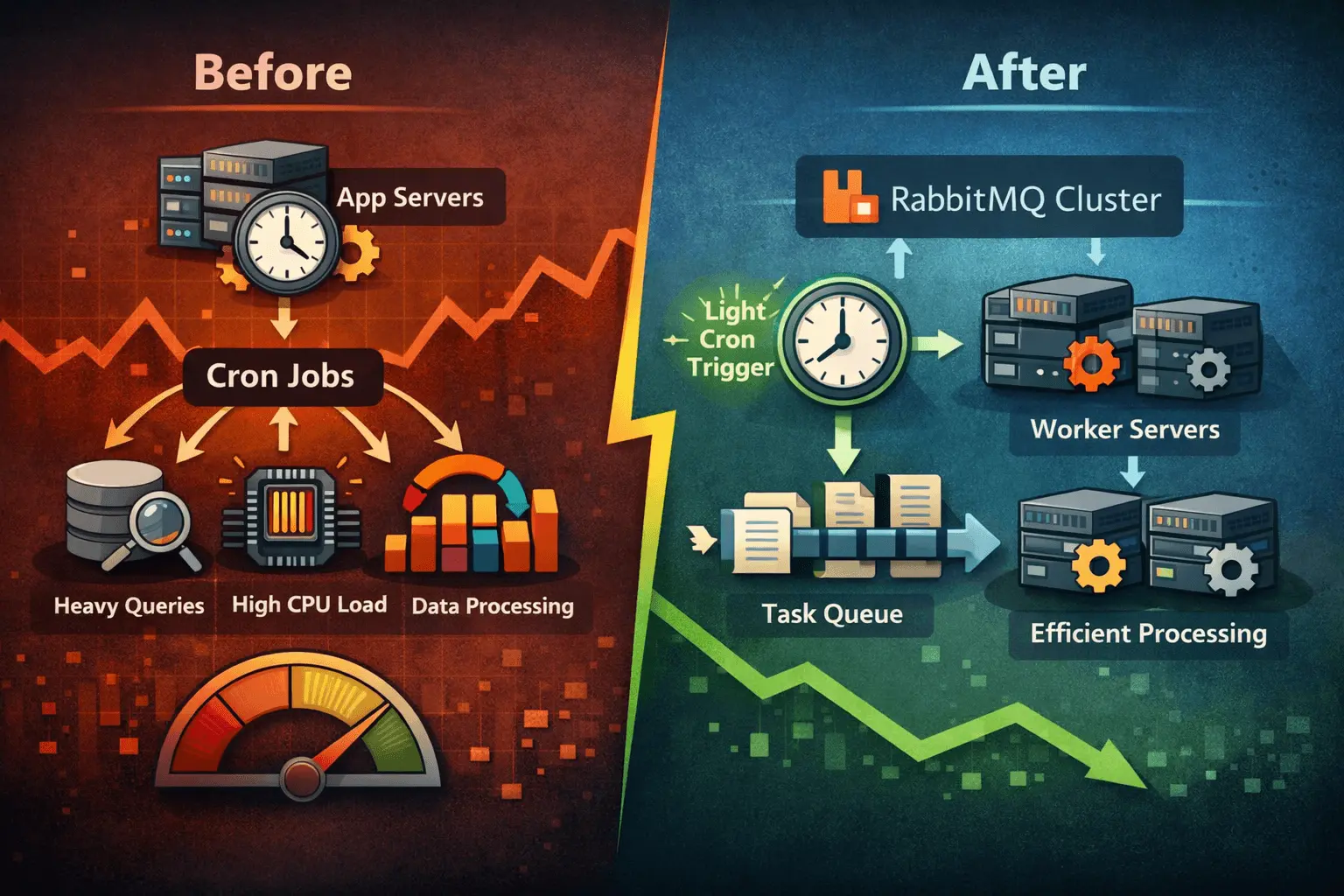
Old Model (Problematic)
Cron Job → Heavy SQL → Calculations → Updates → Completion
New Model (Correct)
Cron Job → Publish Message → Exit

Worker → Heavy SQL → Calculations → Updates
In practice, this meant:
- Cron jobs now only publish messages to RabbitMQ
- All heavy queries and logic were moved into new worker consumers
- Each worker was purpose-built for a specific task
- Workload became horizontally scalable
Step 4: Moving Cron Execution Off Web Servers
Previously, cron jobs were running on application servers. It is always a good practice to have cron jobs in a different server to avoid issues like resource contention.
Drawbacks of running the cron jobs on the web servers:
- Resource contention with web traffic
- CPU starvation during peak cron windows
- Unpredictable latency for end users
Solution: Dedicated Cron Execution on Worker Servers
We moved cron execution entirely to the worker servers. To prevent duplicate execution, we implemented a lock system.
When you run cron jobs on multiple servers, you must ensure:
- Only one instance runs per schedule
- Failover does not cause duplicates
- Jobs are idempotent or safely guarded
The lock system ensured:
- Only one cron instance acquired the lock
- Others exited immediately
- Failover was clean and predictable
Step 5: CI/CD Alignment with Jenkins
Once the code changes were complete, we updated the Jenkins pipeline so that the cron jobs are not configured in the web servers. So now the cron jobs were running from the worker server and they were disabled from the web servers.
The pipeline was modified to:
- Deploy worker code to both worker servers
- Deploy cron definitions alongside worker code
- Maintain consistency across environments
This ensured:
- No configuration drift
- No manual deployment errors
- Predictable rollouts
Step 6: systemd-Managed Workers and Cron Jobs
In the production environment we also decided not to use supervisor to run the jobs. Instead we used systemd. The jobs were configured as systemd services. This removed an unnecessary layer and also restarted itself everytime during server reboot.
This final step completed the separation of concerns:
- Web servers → serve traffic
- Worker servers → execute background tasks
- RabbitMQ → coordinate work
- Cron → trigger, not execute
The Results: Measurable and Immediate
A few days after deploying the changes into production, we reviewed the system metrics again using glances, and the difference was clearly visible. The web servers that were earlier constantly under pressure now had plenty of breathing room - even during peak cron windows.
The results were striking:
- ~40% improvement in overall application performance
- ~60% reduction in average server load
- Stable CPU usage without random spikes
- Faster page response times and smoother user experience
- No cron-related load surges affecting the web layer
- Improved reliability during peak hours and production traffic
More importantly, the system became predictable again.
That predictability matters a lot in production because it restores confidence. Developers can now deploy without fear that a scheduled task will unexpectedly spike the servers. Operations teams can monitor worker queues and scale consumers if needed. And the business no longer has to worry about performance degradation slowly building up throughout the day.
By moving the heavy lifting away from the web servers and into the worker layer, we didn’t just reduce load—we made the platform more scalable, resilient, and easier to operate long-term.
Key Takeaways
This case reinforces several critical lessons:
- Cron Jobs Are Not Worker.
1. Cron should trigger work, not do the work.
If your cron job contains heavy database operations, loops over large datasets, or expensive calculations, it will eventually become a bottleneck—especially as your data grows.
2. Heavy Logic Must Be Asynchronous
Queues and workers exist for a reason—use them.
RabbitMQ (or any message broker) is built exactly for handling these workloads reliably, with retries, scaling options, and better control over execution.
3. Isolation Improves Performance
Separating web, cron, and worker responsibilities dramatically reduces contention.
Once web servers are only handling requests and not background computations, user traffic becomes more stable and latency stops fluctuating randomly.
4. High Availability Matters Everywhere
Single points of failure often hide in “secondary” systems like queues and workers.
Clustering RabbitMQ and running multiple worker nodes ensured the system stayed reliable even if one instance went down.
5. Architecture Discipline Pays Off
Even a well-built system can fail if execution boundaries are ignored.
A queue and worker setup won’t help if the application bypasses it and pushes heavy workloads back into cron jobs.
Final Thoughts
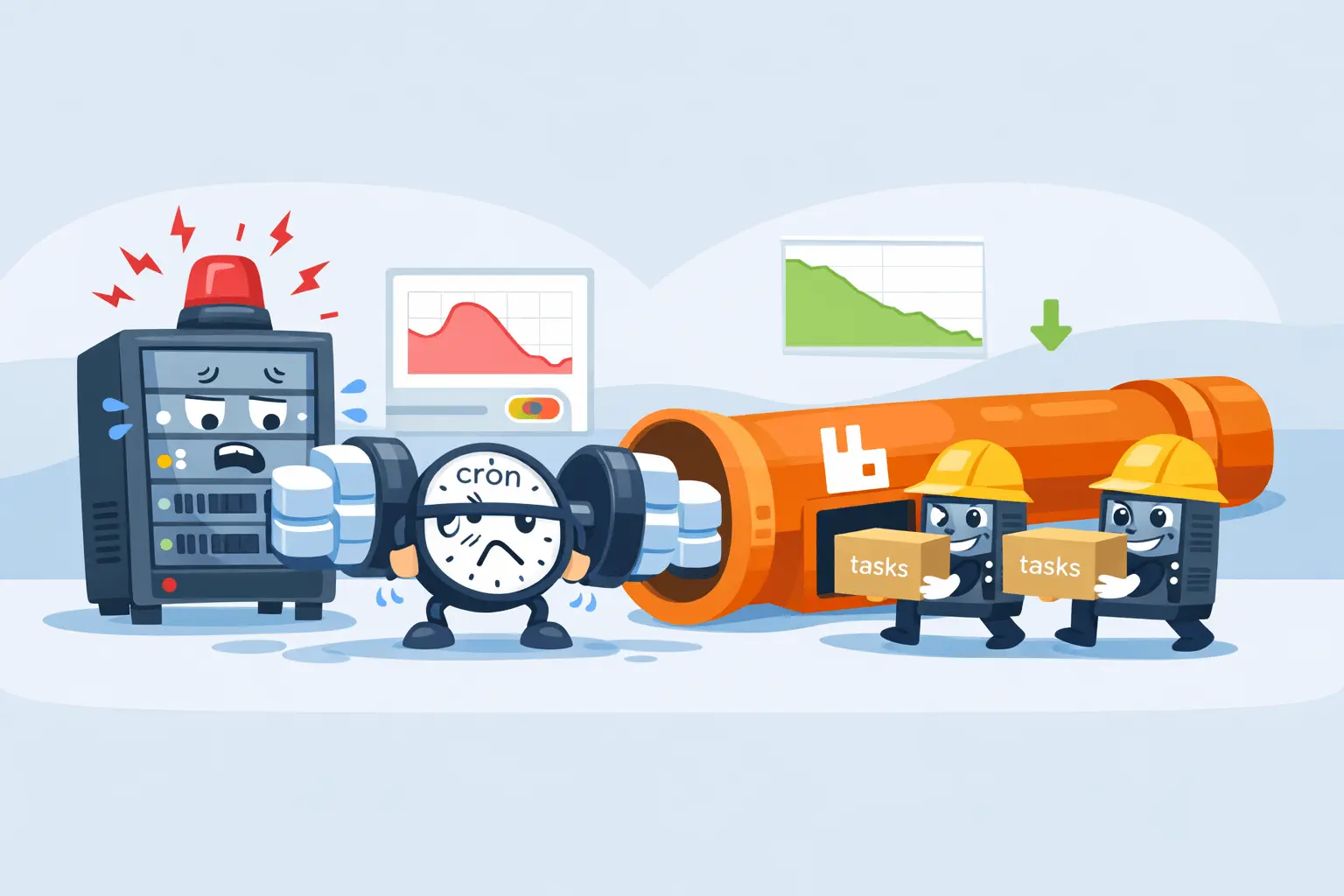
Performance issues are not always caused by missing components. Often, they stem from misusing the components you already have.
In this case, the fix did not require new databases, new caching layers, or expensive scaling. It required correct architectural discipline.
If your servers are under load and everything looks optimized, take a closer look at your cron jobs. You may find that they are quietly doing far more damage than you expect.

Krishnan Sethuraman
Founder & CTO of Geedesk. Passionate about building software from scratch, launching SaaS products, and helping teams deliver enterprise-grade solutions.
Like what you are reading?
Discover more similar articles sent to your email
Subscribe to my newsletter